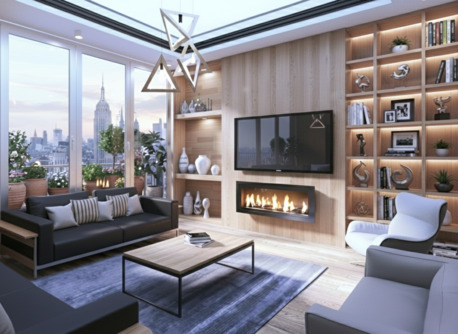
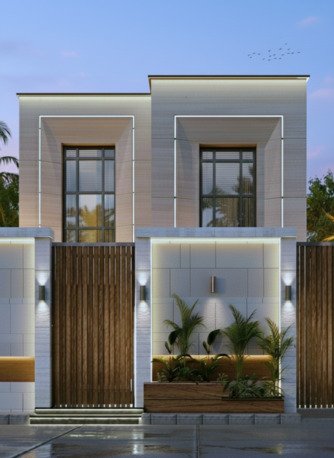
3DS MAX COURSE FOR ARCHITECTURAL VISUALISATION - REALISTIC RENDERS
3D STUDIO MAX - LEARN VISUALIZATION WITH VRAY & CORONA PLUG IN
3ds MAX Training Course
Course Outcome:
On its completion, learners will have the complete knowledge about the coloring, transitions, textures, various kinds of models and professional skills. They will be effective in developing the work habits even in the pressurized work environment.
Why should you learn?
Autodesk’s 3dS Max is widely used by architects and civil engineers for 3D visualization of their designs. Though, you will use CAD software for drawings, you can bring them into 3dS Max for rendering photo-realistic visualization. Though you can get decent renders out of CAD software, 3ds Max can provide the control you need in your render settings. Most architects and engineers use CAD software and BIM tools for modeling and prefer 3ds Max for rendering.
Course Contents:
Lesson 1 - Introduction to Autodesk 3ds Max Design.
Lesson 2 - Autodesk 3ds Max Design Configuration.
Lesson 3 - Basic Modelling Techniques.
Lesson 4 - Modelling From 2D Objects.
Lesson 5 - Assembling Project Files.
Lesson 6 – Modeling with different objects.
Lesson 7 – Introduction to Vray & Corona.
Lesson 8 – Vray & Corona Materials.
Lesson 9 - Mapping Coordinates and Scale.
Lesson 10 - Introduction to Vray & Corona Lighting.
Lesson 11 - Advanced Vray & Corona Lighting.
Lesson 12 - Lighting and Rendering using Vray & Corona.
Lesson 13 - Cameras and Rendering.
Course Overview
3Ds MAX Architecture & Interior Design is a modeling program, published by Autodesk. The program provides the necessary techniques for modeling and animating three-dimensional designs that can be created in the program, such as: two- and three-dimensional engineering designs, lighting, cameras, aids, ambient effects, and so forth.
Target Audience
• Architects and building designers.
• People who need to develop high quality.
• The accuracy of architectural designs.
Course Objectives
In this course, students learn how to use 3D Studio MAX to model, design and apply materials, add lights and cameras, render still images architectural or interior scenes. Scenes could be imported from any program as 3D or as 2D and fully modeled in Max.