================================
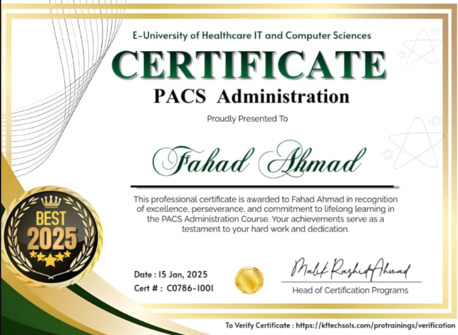
Certificate will be provided at completion of course.
Course Duration : 2 Months (16 Classes)
Class Duration : 50 Minute Online Class
Class Timiings : 2 Days in Week evening (Sat, Sun).
Discounted Fee for Saudi Students: $850 (SAR 3200)
(Advance 50%, Remaining in 3 Installments)
Payment Method : By Bank Transfer.
Thanks
WhatsApp +923175484879
Email : [email protected]
https://www.kftechsols.com/ ...
Course Objectives:
Equip participants with knowledge of Picture Archiving and Communication Systems (PACS).
Develop skills in PACS administration, including image management, and quality control.
Prepare participants for entry-level roles in PACS administration or related fields.
Target Audience:
Recent graduates in medical imaging, IT, or related fields.
Healthcare professionals interested in transitioning into PACS administration.
Individuals seeking to enhance their skills in medical imaging technology.
Course Duration:
Estimated: 8-10 days (Only Saturday and Sunday)
COURSE OUTLINE :
-----------------------------
Module 1: Introduction to Medical Imaging & PACS
========
1.1 Medical Imaging Fundamentals:
Overview of different medical imaging modalities (X-ray, CT, MRI, Ultrasound, etc.)
Basic image acquisition and processing concepts
Importance of digital imaging in healthcare
1.2 Introduction to PACS:
Definition and purpose of a PACS system
Components of a PACS system (archiving, workstations, network)
Benefits of using a PACS system (improved workflow, better image quality, enhanced patient care)
Common PACS vendors (e.g., GE Healthcare, Siemens Healthineers, Philips)
Module 2: PACS Administration Fundamentals
========
2.1 User Management:
Creating and managing user accounts and permissions
Role-based access control (RBAC)
Implementing security measures (password policies, data encryption)
2.2 Image Management:
Image acquisition and storage processes
Image retrieval and distribution methods
Image quality control and assurance
Archiving and retrieval strategies
2.3 PACS Network & Infrastructure:
Understanding network connectivity and data flow within a PACS environment
Basic troubleshooting techniques for network issues
Ensuring data integrity and security within the network
Module 3: Practical Skills & Hands-on Experience
========
3.1 PACS Workstation Usage:
Basic image viewing and manipulation tools
Performing basic image measurements and annotations
Utilizing advanced features (e.g., 3D reconstructions, image fusion)
3.2 Hands-on Exercises:
Simulating real-world scenarios (e.g., user account creation, image retrieval, troubleshooting)
Working with a simulated PACS environment (if available)
Practical exercises on image quality control and assurance
Module 4: PACS Maintenance & Troubleshooting
========
4.1 System Monitoring and Maintenance:
Regular system checks and backups
Performance monitoring and optimization
Identifying and resolving common system issues
4.2 Disaster Recovery Planning:
Understanding the importance of data backup and recovery
Developing a basic disaster recovery plan
Module 5: Emerging Trends in PACS
========
5.1 Cloud-based PACS Solutions:
Benefits and challenges of cloud PACS
Integration with other healthcare IT systems